Pixel Key Quest offers a refreshing take on the platformer genre by focusing on exploration and puzzle-solving instead of combat. The pixel art is bright and nostalgic, and the controls are simple enough for young children to grasp. The gradual difficulty curve ensures that players of all skill levels can enjoy the experience without frustration. It is a perfect choice for a quick, stress-free gaming session.
In Pixel Key Quest, players take control of a tiny adventurer exploring colorful, hand-drawn stages. The main task is to find a hidden key somewhere in each level. Once located, the player must carry it to a locked door to open it and move forward. This simple loop of searching and delivering forms the heart of the experience.
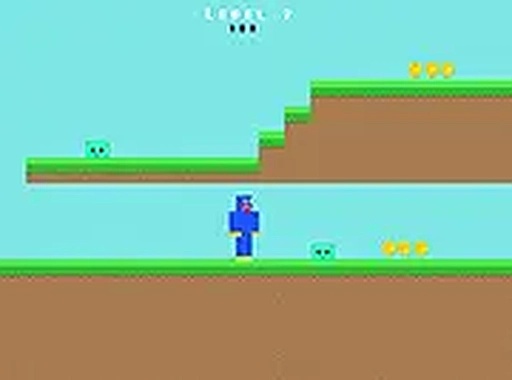
The game uses a pixel art style that recalls classic arcade titles from the 1980s and 1990s. Bright, cheerful colors dominate the environments, creating a warm and inviting atmosphere. There are no dark or scary themes, making it suitable for young children. The hand-drawn backgrounds add a personal touch that distinguishes it from purely algorithmic pixel art.
Movement is handled with arrow keys on a keyboard or on-screen buttons on a touchscreen. A single jump button allows the character to clear gaps and avoid sticky patches. The controls are responsive and easy to learn, which lowers the barrier for new players. The game runs directly in a web browser on both computers and mobile devices, requiring no downloads or installations.
Early stages introduce basic movement and key-finding mechanics. As players advance, level layouts become more complex, requiring careful timing and observation. The difficulty increases gradually, so players have time to build their skills. This design keeps the game engaging without becoming frustrating, appealing to both casual players and those seeking a light challenge.
Throughout each stage, luminous coins are placed along the path. Collecting these coins adds to the player's overall score. While not required to complete a level, gathering all coins encourages thorough exploration. The scoring system provides a simple measure of performance, motivating players to replay stages for a better result.
The game contains no violent or mature content. Obstacles are harmless surfaces that slow or stop the character, not enemies. The focus is on gentle puzzle-solving and platform navigation. This makes Pixel Key Quest appropriate for players of all ages, from young children to adults looking for a relaxing gaming session.









Player Comments
Sign in to comment
You must be logged in before posting a review or rating.
No account? Create one
No comments yet. Be the first to comment!