 Arcade Flux
Arcade Flux
Arcade Flux
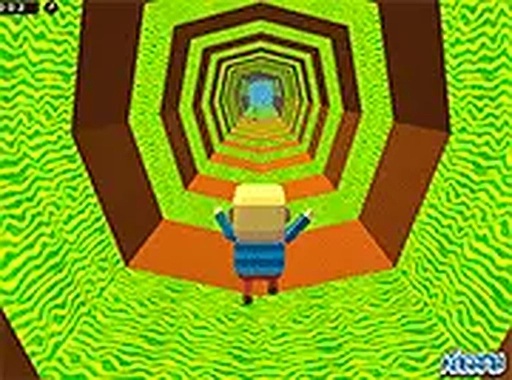
Kogama: Mine Parkour New Online Game delivers a solid parkour experience in a mine setting. The controls are responsive, and the increasing difficulty provides a good challenge. Playing with friends adds a cooperative layer that makes survival more engaging. The game is free and runs smoothly in a browser, offering replayability through its multiple levels and the fun of beating your best runs with others.
Kogama: Mine Parkour New Online Game Arcade Game places players inside a vibrant mine environment filled with platforms and hazardous acid blocks. The core objective is to jump from one platform to the next without falling into the acid below. This game combines classic parkour mechanics with a cooperative twist, allowing you to team up with friends. Each level introduces new platform arrangements and tighter jumps, testing your reflexes and timing. The colorful blocky visuals and straightforward controls make the experience accessible for players of all ages. Whether you play alone or with others, the challenge keeps you engaged as you work to survive the treacherous mine.
To play Kogama: Mine Parkour, use your keyboard. Press the arrow keys or WASD keys to move your character left, right, and jump. Carefully time each jump to land safely on the next platform. Avoid the green acid blocks that appear on platforms or in gaps, as touching them ends your run. The game becomes more difficult as you progress, with moving platforms and narrower gaps. You can invite friends to join your session, making the adventure a cooperative effort to reach the finish line together. The simple controls let you focus on the parkour challenge without complex mechanics.
Key features of Kogama: Mine Parkour include: Free to play with no downloads required. Multiplayer cooperative mode for up to four players. Increasing difficulty across multiple levels. Simple keyboard controls using arrow or WASD keys. Colorful blocky graphics that are easy on the eyes. Browser-based gameplay that works on most devices.
To succeed in Kogama: Mine Parkour, focus on timing each jump carefully. Practice moving platforms to anticipate their rhythm. Play with friends to coordinate and help each other through tricky sections. Take your time—rushing often leads to mistakes. Learn the layout of each level to plan your route. Stay calm when faced with narrow gaps and acid blocks. Regular practice will improve your reflexes and help you progress through the increasingly difficult levels.
This H5 game runs smoothly on: • Desktop computers (Windows / Mac) • Mobile phones (iPhone / Android) • Tablets (iPad / Android) 🌐 Best experienced with Chrome, Safari, or Edge
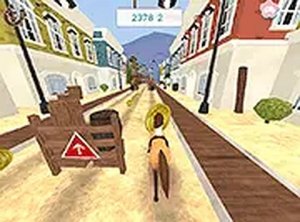
Simple controls and bright graphics make this a relaxing runner. Great for quick play sessions.
Engaging brick-collecting runner with smooth controls and colorful levels. Great for quick, fun sessions.

Clean design and smooth gameplay. Great for short breaks.

Clean design and smooth gameplay. Great for short breaks and sharpening focus.
Clean parkour action with cooperative play. Great for quick sessions with friends.

Clean design and smooth gameplay. Great for short breaks. The story adds a nice touch.

Simple, addictive reflex game. Clean design and smooth performance. Good for quick play sessions.
Clean design and smooth gameplay. Great for short breaks.
Simple, addictive, and family-friendly. Great for quick breaks and improving aim.
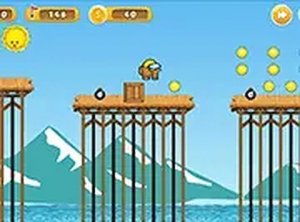
Simple controls and colorful graphics. Great for quick gaming breaks and testing reflexes.