Bright Trails Explorer stands out for its clean level design and gradual difficulty curve. The block-smashing mechanic adds a layer of discovery to each stage, encouraging players to experiment rather than rush through. The controls are responsive, and the colorful graphics create a pleasant atmosphere. While the game may not offer deep complexity, it delivers a satisfying experience for casual sessions or longer play. It is a solid choice for anyone looking for a lighthearted puzzle-platformer.
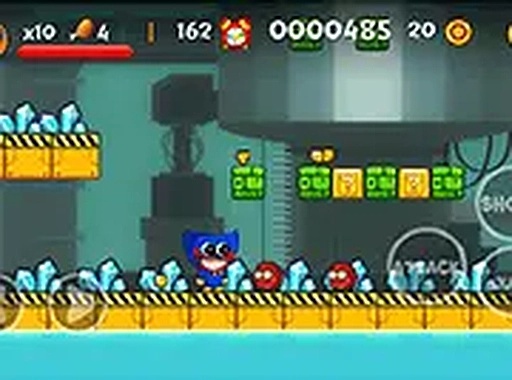
In Bright Trails Explorer, players control a small character navigating side-scrolling stages filled with obstacles and hidden items. The primary actions involve moving left or right, jumping, and interacting with objects by kicking or throwing. Each level presents a series of environmental puzzles where players must figure out how to reach collectibles and progress to the exit. The challenge comes from timing jumps correctly and deciding when to smash blocks to reveal useful items like food or coins.
The game features multiple stages that increase in complexity as players advance. Early levels introduce basic movement and block-smashing mechanics, while later stages incorporate more intricate obstacle patterns and require careful planning. Coins collected throughout the game serve as a measure of progress, and accumulating enough of them unlocks new levels. This gradual difficulty curve ensures that beginners can learn at their own pace while experienced players still find engaging challenges.
Bright Trails Explorer uses colorful 2D graphics with a cheerful, inviting art style. The environments are designed to be visually clear, making it easy for players to identify platforms, obstacles, and items. The bright palette and friendly character design contribute to a relaxed, non-threatening atmosphere that appeals to players of all ages. The game runs smoothly in a browser window, with an option to switch to full-screen mode for a more immersive view.
The game is designed for desktop play using a keyboard. Arrow keys or WASD handle movement and jumping, while a separate key activates the kick or throw action. This simple control scheme means that anyone can start playing without needing to memorize complex button combinations. The interface is straightforward, with clear on-screen indicators for score and collected items. Full-screen mode can be toggled easily, allowing players to adjust the view to their preference.





Player Comments
Sign in to comment
You must be logged in before posting a review or rating.
No account? Create one
No comments yet. Be the first to comment!